PDFium とは
PDFiumは、Googleが開発した軽量で高速なPDFレンダリングライブラリです。
PDFファイルの表示、テキスト抽出、注釈処理などをC/C++で制御でき、ベクター描画を高精度にラスタライズする構造的なAPI群を提供します。
PDFiumは商用利用可能です。Apache License 2.0 に基づいて提供されており、商用アプリケーションへの組み込みも認められています。
PDFium のインストール
PDFium はソースのみが公開されており、自力でビルドする必要があります。
自力ビルドは面倒で時間がかかります。
ありがたいことに PDFium binaries でビルド済みを公開してくれているので 、そちらを使います。
1. pdfium-win-x64.tgz をクリックしてダウンロードします。

2. pdfium-win-x64というフォルダを作ってそこに解凍します。
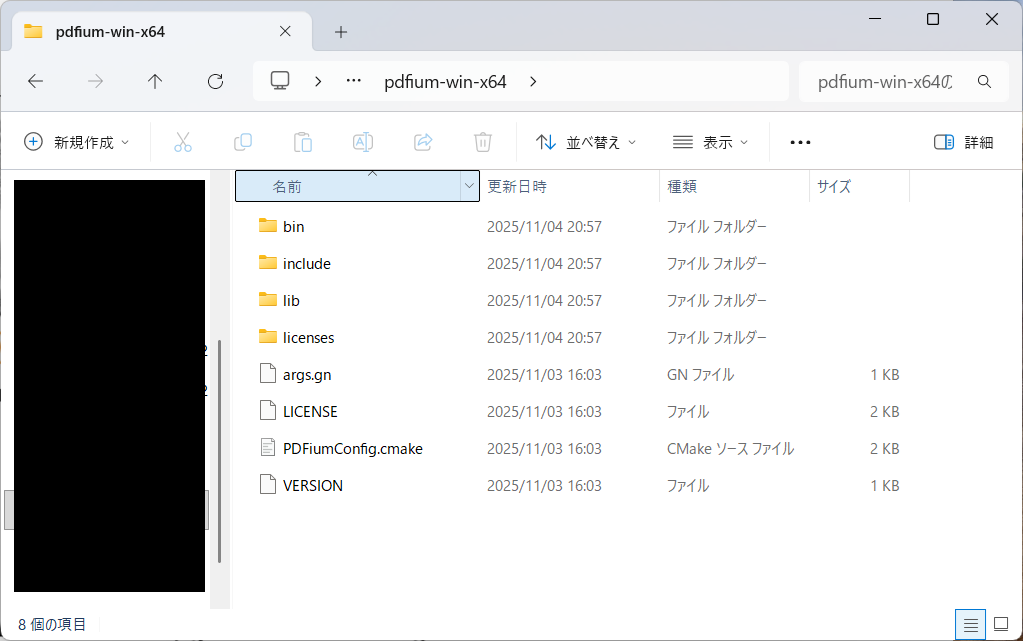
インストールというより、ダウンロードして解凍するだけです。
PDFium の VC++での設定
1. Windows Application を SamplePdfiumWin32 と名前で作成します。
2. SamplePdfiumWin32 \SamplePdfiumWin32 に先ほど作成した pdfium-win-x64 をコピーします。
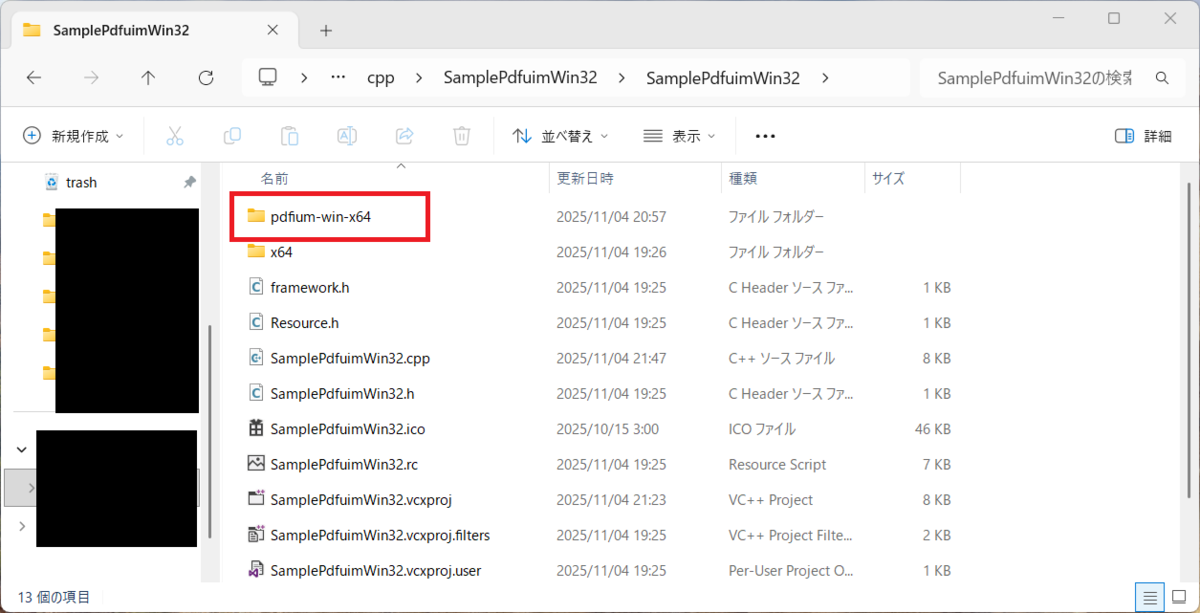
3. SamplePdfiumWin32 Project の Properties で
C/C++ > General > Addtional Include Directories に SamplePdfuimWin32\SamplePdfuimWin32\pdfium-win-x64\include を
Linker > General > Addtional Laibrary Directories に SamplePdfuimWin32\SamplePdfuimWin32\pdfium-win-x64\lib を
Linker > Input > Addtional Dependencies に pdfium.dll.lib を追加します。
4. 先に 1回 Buildします。そうすると SamplePdfiumWin32\Debug フォルダができます。
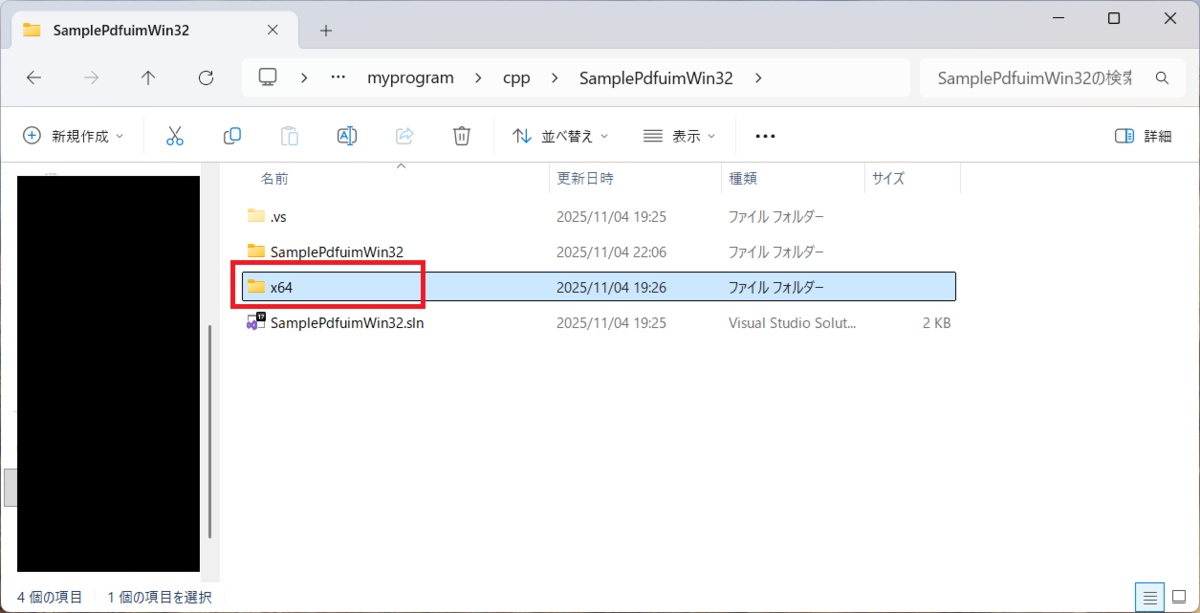
5. SamplePdfiumWin32\x64\Debug フォルダに SamplePdfuimWin32\SamplePdfuimWin32\pdfium-win-x64\bin\pdfium.dll をコピーします。
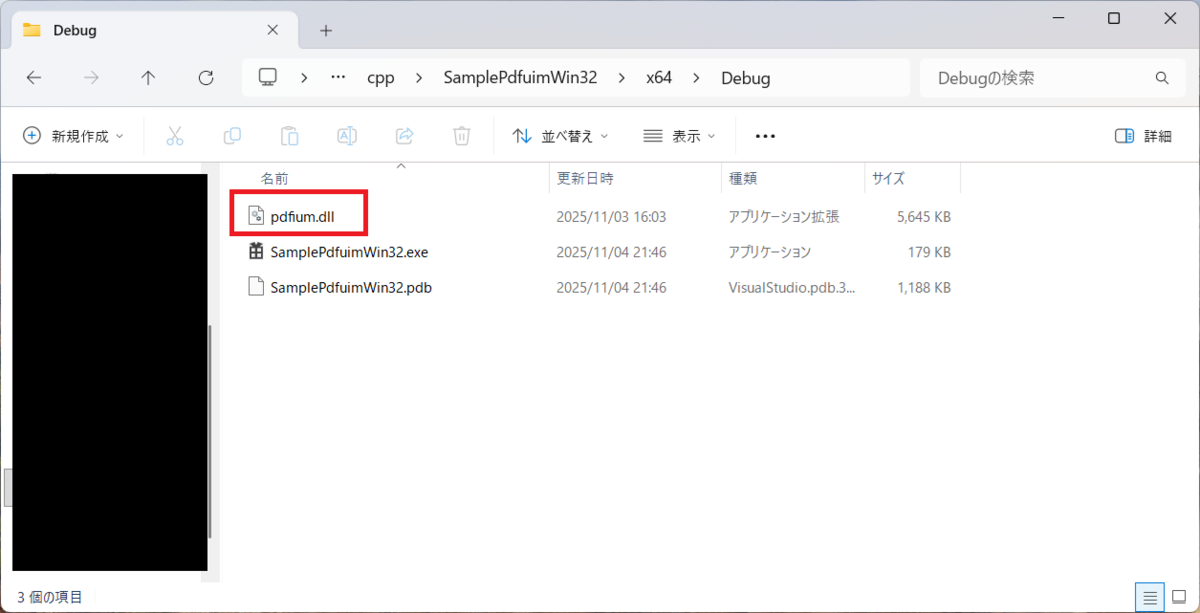
6. これで OK です。以下の画像はサンプルプログラムで動かしたスナップショットです。
PDF が表示できていることが確認できると思います。
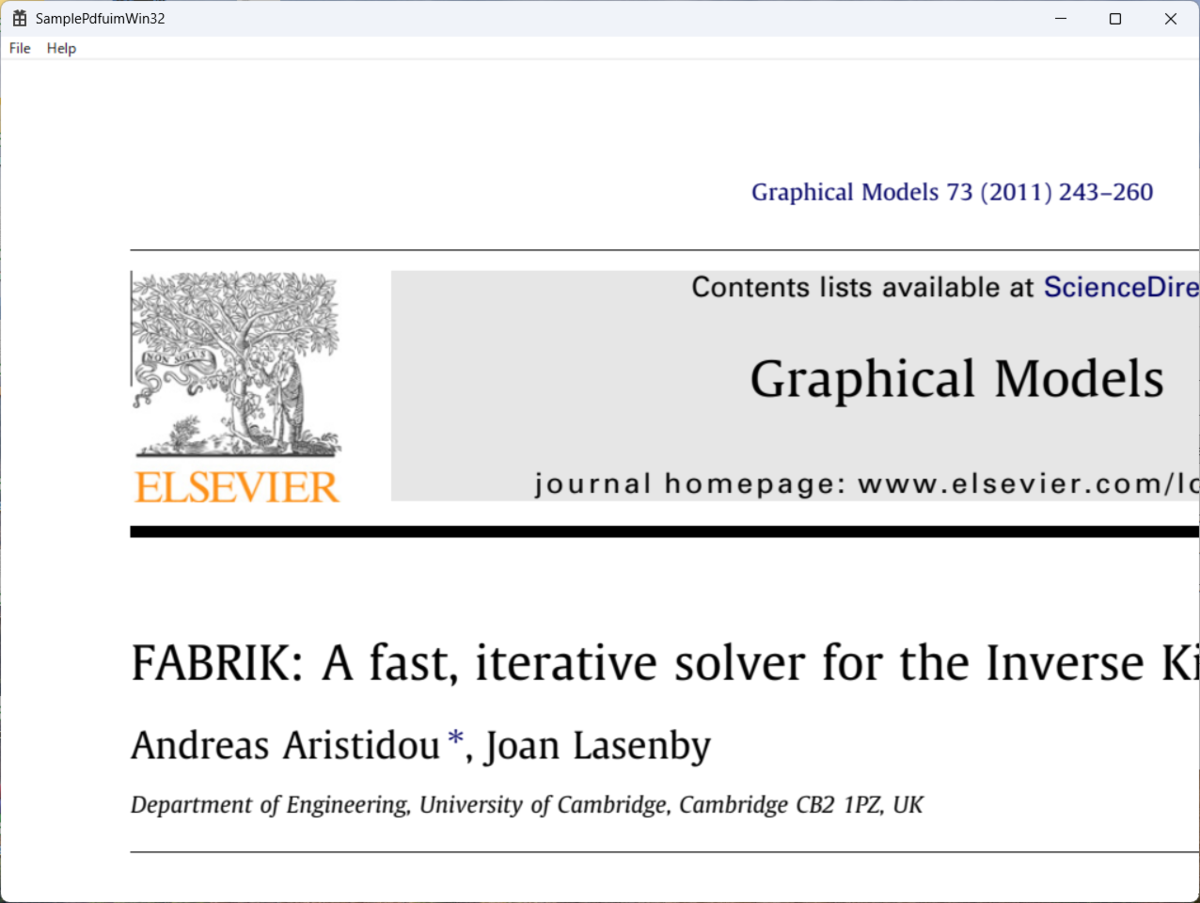
サンプルプログラム
PDFを読み込んで、拡大して表示するサンプルのコードを載せておきます。
使い方は簡単なので説明は省略します。
// SamplePdfuimWin32.cpp : Defines the entry point for the application.
//

#include "framework.h"
#include "SamplePdfuimWin32.h"
#include <fpdfview.h>

#define MAX_LOADSTRING 100

// Global Variables:
HINSTANCE hInst;                                // current instance
WCHAR szTitle[MAX_LOADSTRING];                  // The title bar text
WCHAR szWindowClass[MAX_LOADSTRING];            // the main window class name

// Forward declarations of functions included in this code module:
ATOM                MyRegisterClass(HINSTANCE hInstance);
BOOL                InitInstance(HINSTANCE, int);
LRESULT CALLBACK    WndProc(HWND, UINT, WPARAM, LPARAM);
INT_PTR CALLBACK    About(HWND, UINT, WPARAM, LPARAM);

int APIENTRY wWinMain(_In_ HINSTANCE hInstance,
                     _In_opt_ HINSTANCE hPrevInstance,
                     _In_ LPWSTR    lpCmdLine,
                     _In_ int       nCmdShow)
{
    UNREFERENCED_PARAMETER(hPrevInstance);
    UNREFERENCED_PARAMETER(lpCmdLine);

    // TODO: Place code here.

    // Initialize global strings
    LoadStringW(hInstance, IDS_APP_TITLE, szTitle, MAX_LOADSTRING);
    LoadStringW(hInstance, IDC_SAMPLEPDFUIMWIN32, szWindowClass, MAX_LOADSTRING);
    MyRegisterClass(hInstance);

    // Perform application initialization:
    if (!InitInstance (hInstance, nCmdShow))
    {
        return FALSE;
    }

    HACCEL hAccelTable = LoadAccelerators(hInstance, MAKEINTRESOURCE(IDC_SAMPLEPDFUIMWIN32));

    MSG msg;

    // Main message loop:
    while (GetMessage(&msg, nullptr, 0, 0))
    {
        if (!TranslateAccelerator(msg.hwnd, hAccelTable, &msg))
        {
            TranslateMessage(&msg);
            DispatchMessage(&msg);
        }
    }

    return (int) msg.wParam;
}


//
//  FUNCTION: MyRegisterClass()
//
//  PURPOSE: Registers the window class.
//
ATOM MyRegisterClass(HINSTANCE hInstance)
{
    WNDCLASSEXW wcex;

    wcex.cbSize = sizeof(WNDCLASSEX);

    wcex.style          = CS_HREDRAW | CS_VREDRAW;
    wcex.lpfnWndProc    = WndProc;
    wcex.cbClsExtra     = 0;
    wcex.cbWndExtra     = 0;
    wcex.hInstance      = hInstance;
    wcex.hIcon          = LoadIcon(hInstance, MAKEINTRESOURCE(IDI_SAMPLEPDFUIMWIN32));
    wcex.hCursor        = LoadCursor(nullptr, IDC_ARROW);
    wcex.hbrBackground  = (HBRUSH)(COLOR_WINDOW+1);
    wcex.lpszMenuName   = MAKEINTRESOURCEW(IDC_SAMPLEPDFUIMWIN32);
    wcex.lpszClassName  = szWindowClass;
    wcex.hIconSm        = LoadIcon(wcex.hInstance, MAKEINTRESOURCE(IDI_SMALL));

    return RegisterClassExW(&wcex);
}

//
//   FUNCTION: InitInstance(HINSTANCE, int)
//
//   PURPOSE: Saves instance handle and creates main window
//
//   COMMENTS:
//
//        In this function, we save the instance handle in a global variable and
//        create and display the main program window.
//
BOOL InitInstance(HINSTANCE hInstance, int nCmdShow)
{
   hInst = hInstance; // Store instance handle in our global variable

   HWND hWnd = CreateWindowW(szWindowClass, szTitle, WS_OVERLAPPEDWINDOW,
      CW_USEDEFAULT, 0, CW_USEDEFAULT, 0, nullptr, nullptr, hInstance, nullptr);

   if (!hWnd)
   {
      return FALSE;
   }

   ShowWindow(hWnd, nCmdShow);
   UpdateWindow(hWnd);

   return TRUE;
}

FPDF_LIBRARY_CONFIG config;
FPDF_STRING doc_path = "FABRIK.pdf";
FPDF_DOCUMENT doc;
FPDF_BITMAP bitmap = NULL;

void RenderBitmapToHDC(FPDF_BITMAP bitmap, HDC hdc, int x, int y) {
    if (!bitmap || !hdc) return;

    int width = FPDFBitmap_GetWidth(bitmap);
    int height = FPDFBitmap_GetHeight(bitmap);
    int stride = FPDFBitmap_GetStride(bitmap);
    void* buffer = FPDFBitmap_GetBuffer(bitmap);

    BITMAPINFO bmi = { 0 };
    bmi.bmiHeader.biSize = sizeof(BITMAPINFOHEADER);
    bmi.bmiHeader.biWidth = width;
    bmi.bmiHeader.biHeight = -height; // 上下反転
    bmi.bmiHeader.biPlanes = 1;
    bmi.bmiHeader.biBitCount = 32;
    bmi.bmiHeader.biCompression = BI_RGB;

    HBITMAP hBitmap = CreateCompatibleBitmap(hdc, width, height);
    SetDIBits(hdc, hBitmap, 0, height, buffer, &bmi, DIB_RGB_COLORS);

    HDC memDC = CreateCompatibleDC(hdc);
    SelectObject(memDC, hBitmap);
    BitBlt(hdc, x, y, width, height, memDC, 0, 0, SRCCOPY);

    DeleteDC(memDC);
    DeleteObject(hBitmap);
}

//
//  FUNCTION: WndProc(HWND, UINT, WPARAM, LPARAM)
//
//  PURPOSE: Processes messages for the main window.
//
//  WM_COMMAND  - process the application menu
//  WM_PAINT    - Paint the main window
//  WM_DESTROY  - post a quit message and return
//
//
LRESULT CALLBACK WndProc(HWND hWnd, UINT message, WPARAM wParam, LPARAM lParam)
{
    switch (message)
    {
    case WM_CREATE:
        {
            // config の初期化
            config.version = 2;
            config.m_pUserFontPaths = NULL;
            config.m_pIsolate = NULL;
            config.m_v8EmbedderSlot = 0;
            FPDF_InitLibraryWithConfig(&config);

            // PDF のロード
            doc = FPDF_LoadDocument(doc_path, NULL);
            if (!doc) {
                FPDF_DestroyLibrary();
                break;
            }

            int pageIndex = 0;
            FPDF_PAGE page = FPDF_LoadPage(doc, pageIndex); // pageIndex は 0 ベース
            if (!page) {
                // 開放
                FPDF_CloseDocument(doc);
                FPDF_DestroyLibrary();
                break;
            }
            // ビットマップの作成
            double scale = 3.0; // 300% 拡大
            int width = static_cast<int>(FPDF_GetPageWidth(page) * scale);
            int height = static_cast<int>(FPDF_GetPageHeight(page) * scale);
            bitmap = FPDFBitmap_Create(width, height, 0); // 0 = 非アルファ
            FPDFBitmap_FillRect(bitmap, 0, 0, width, height, 0xFFFFFFFF); // 白背景
            // ページのレンダリング
            FPDF_RenderPageBitmap(bitmap, page, 0, 0, width, height, 0, 0);
        }
        break;

    case WM_COMMAND:
        {
            int wmId = LOWORD(wParam);
            // Parse the menu selections:
            switch (wmId)
            {
            case IDM_ABOUT:
                DialogBox(hInst, MAKEINTRESOURCE(IDD_ABOUTBOX), hWnd, About);
                break;
            case IDM_EXIT:
                DestroyWindow(hWnd);
                break;
            default:
                return DefWindowProc(hWnd, message, wParam, lParam);
            }
        }
        break;
    case WM_PAINT:
        {
            PAINTSTRUCT ps;
            HDC hdc = BeginPaint(hWnd, &ps);
            // TODO: Add any drawing code that uses hdc here...
            RenderBitmapToHDC(bitmap, hdc, 0, 0);
            EndPaint(hWnd, &ps);
        }
        break;
    case WM_DESTROY:
        // 開放
        FPDF_CloseDocument(doc);
        FPDF_DestroyLibrary();
        PostQuitMessage(0);
        break;
    default:
        return DefWindowProc(hWnd, message, wParam, lParam);
    }
    return 0;
}

// Message handler for about box.
INT_PTR CALLBACK About(HWND hDlg, UINT message, WPARAM wParam, LPARAM lParam)
{
    UNREFERENCED_PARAMETER(lParam);
    switch (message)
    {
    case WM_INITDIALOG:
        return (INT_PTR)TRUE;

    case WM_COMMAND:
        if (LOWORD(wParam) == IDOK || LOWORD(wParam) == IDCANCEL)
        {
            EndDialog(hDlg, LOWORD(wParam));
            return (INT_PTR)TRUE;
        }
        break;
    }
    return (INT_PTR)FALSE;
}
PDFium API のドキュメント
Pdfium.Net SDK. User Manual にメソッドの説明があります。
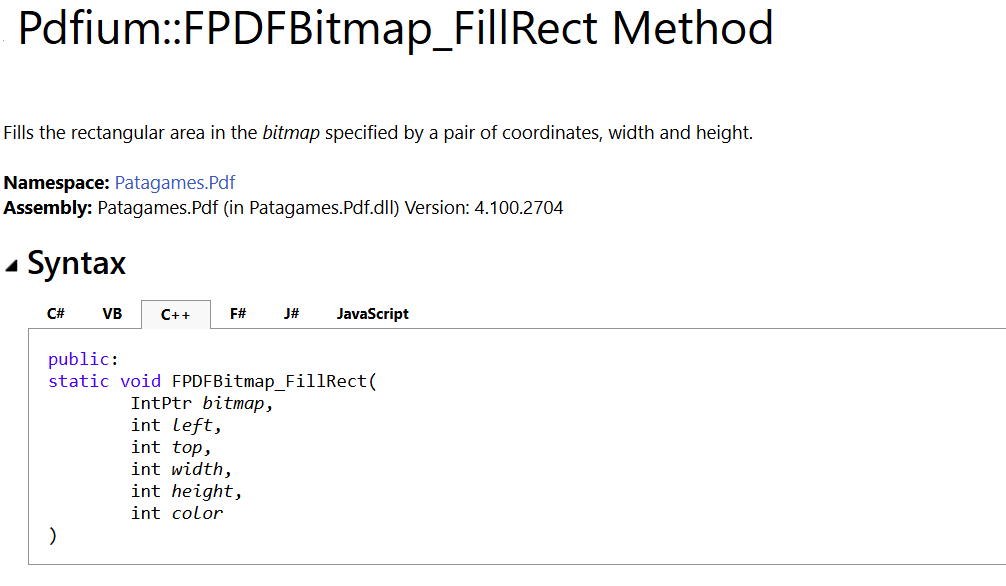
以下のような感じで C++ のドキュメントもあり非常にわかりやすいです。